

One workflow from incoming CV to hire
HireRank brings vacancies, CVs, AI-assisted assessment, and your hiring pipeline together, so recruiters spend their time on decisions instead of admin.
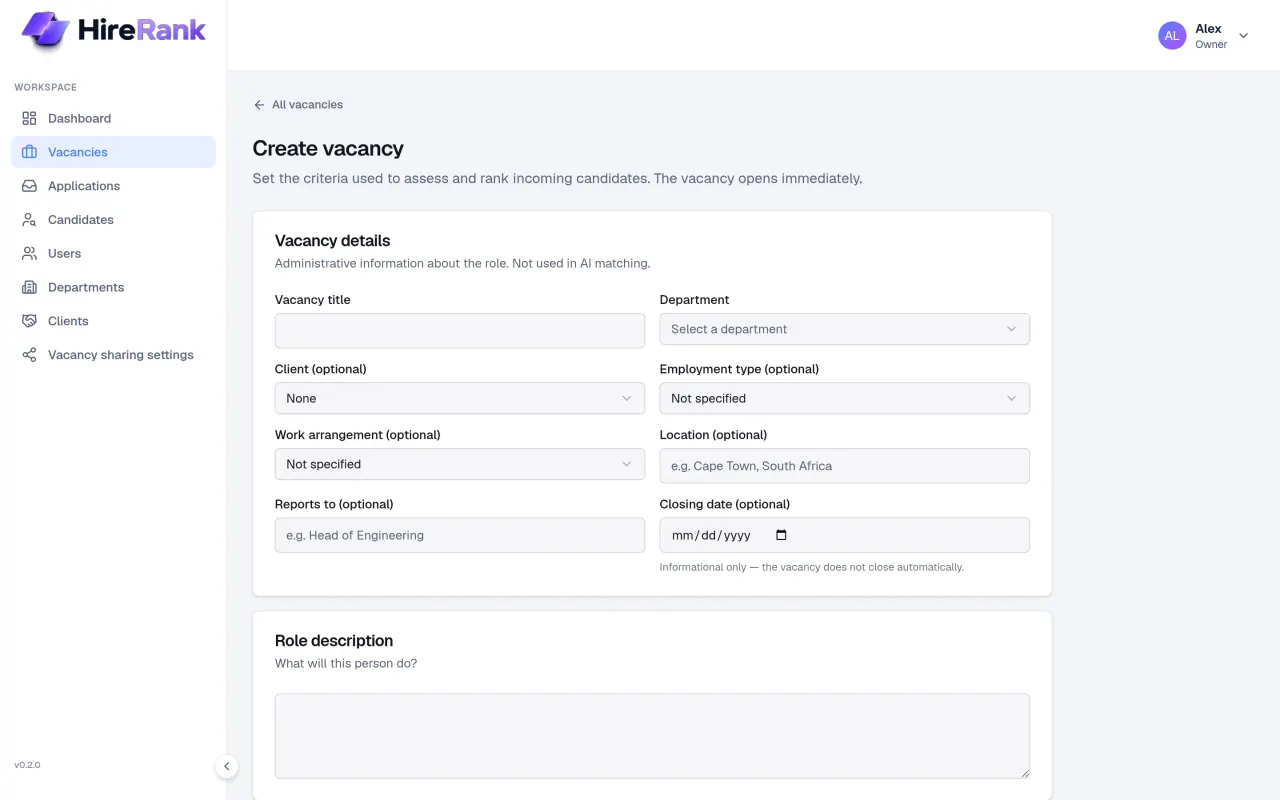
Define what good looks like, once
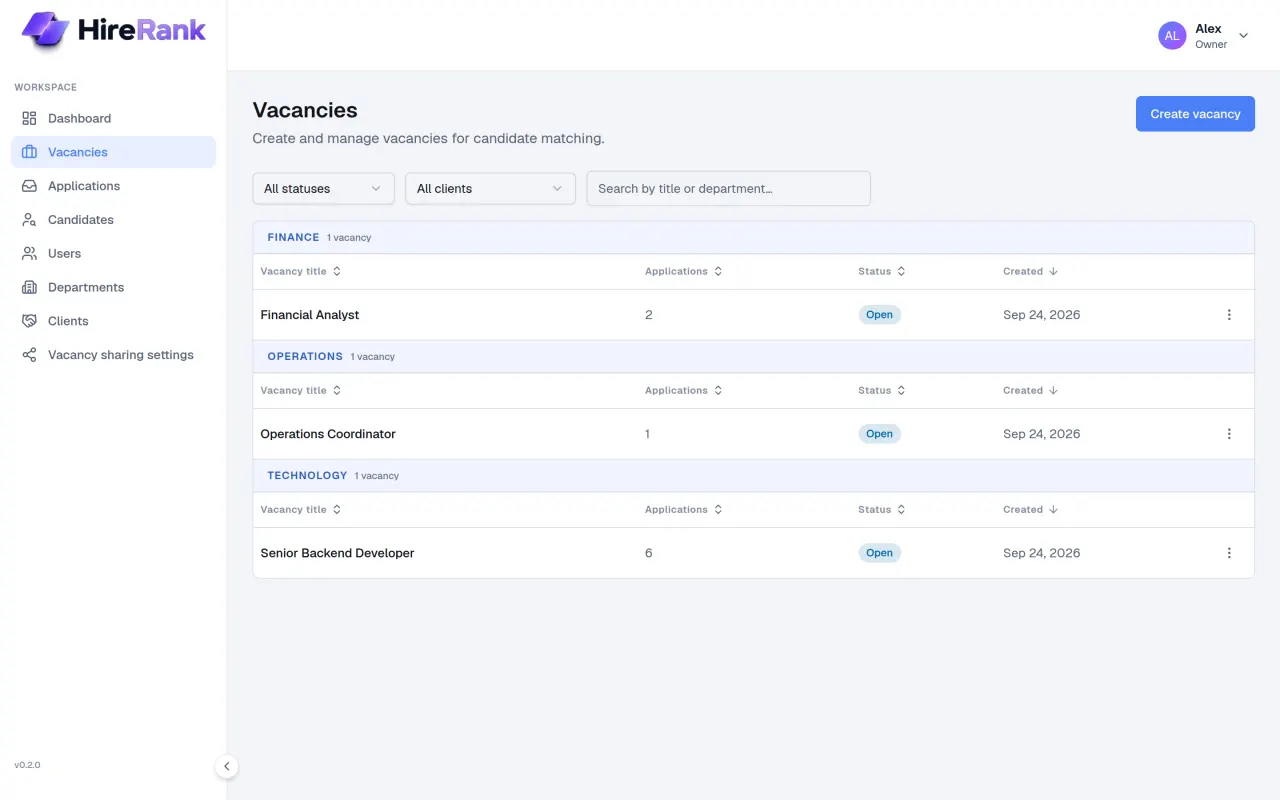
Each vacancy holds the requirements every CV is assessed against: required skills, experience, and education, plus nice-to-haves.
- Separate required and nice-to-have requirements
- Role details such as location, work arrangement, and reporting line stay out of AI matching
- Vacancies move from open to applications closed, filled, or cancelled
- Shareable adverts with your own how-to-apply instructions
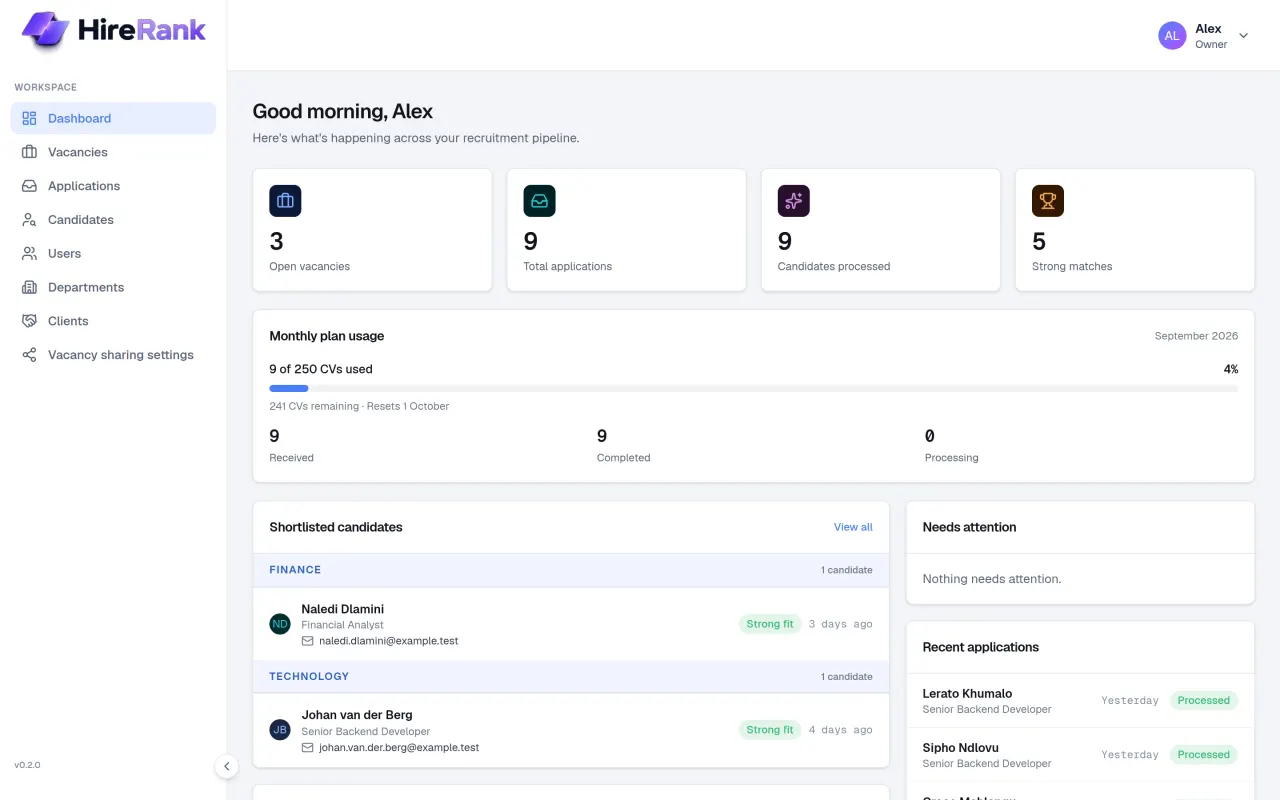
CVs arrive by upload or by email
Upload PDF or Word CVs directly, or have applications emailed to your organisation's intake address or collected from a connected Microsoft 365 mailbox.
- Every CV becomes an application linked to a candidate
- Emailed CVs that are not yet linked to a vacancy wait for assignment
- Repeat CVs from the same person are recognised instead of duplicated
- Owners and admins can see CV usage against the monthly allowance
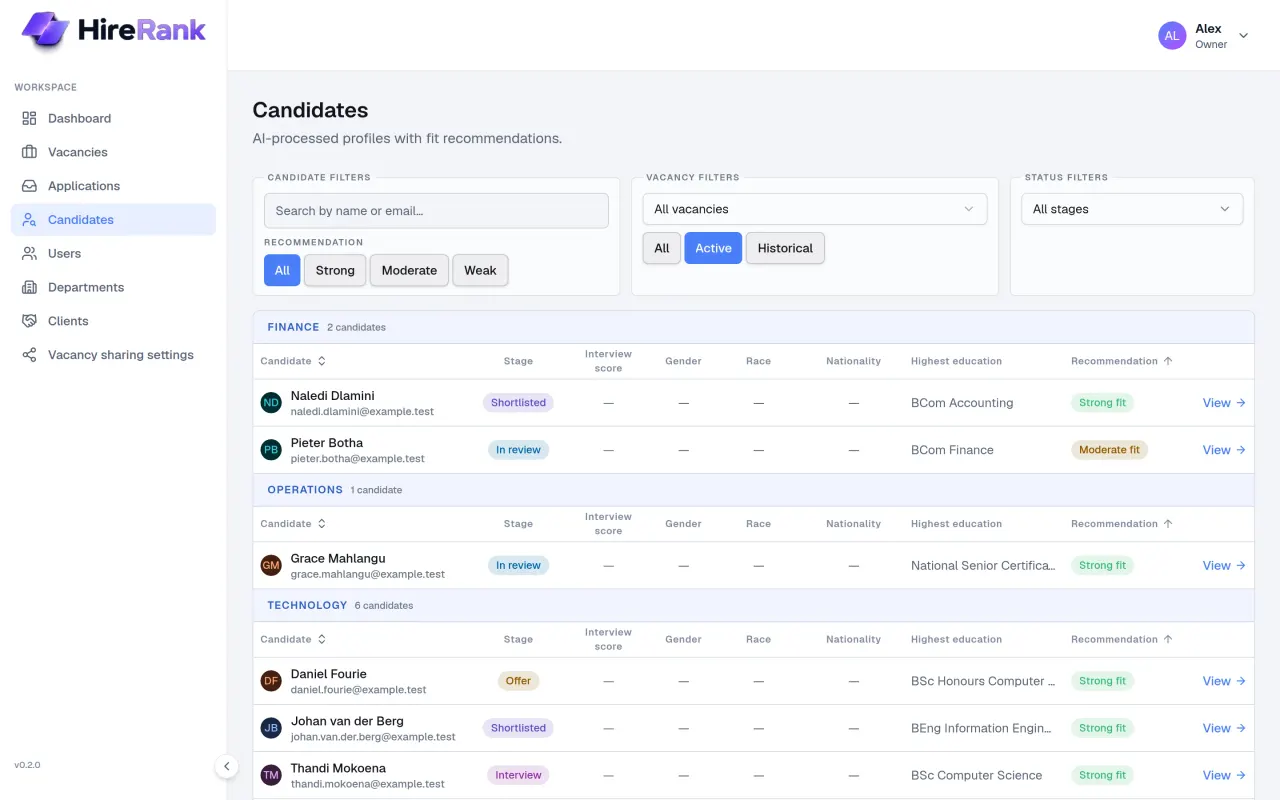
Every CV becomes a structured profile
HireRank extracts skills, experience, education, and a short summary into a consistent profile, and keeps each CV version a candidate sends.
- One candidate record per person, with CV version history
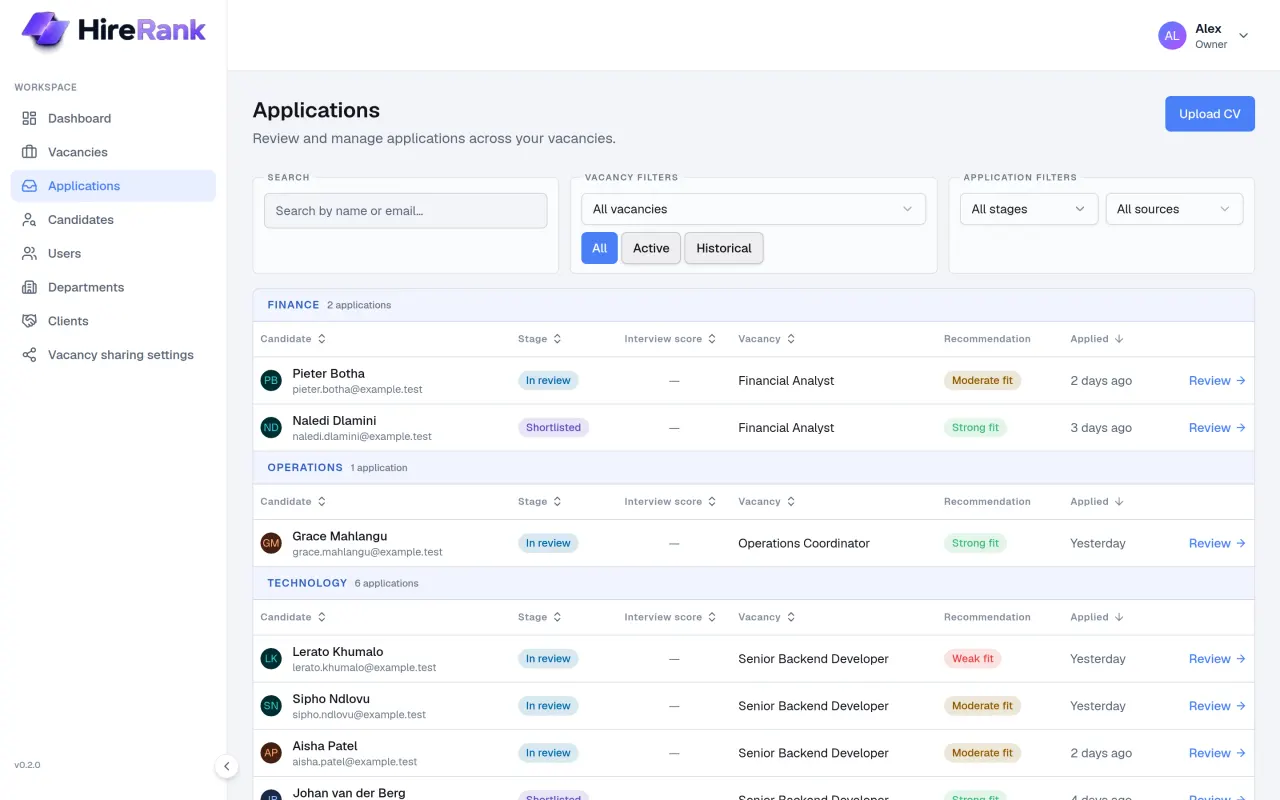
- Filter candidates by recommendation, vacancy, and stage
- Employment Equity details are recorded only when a CV states them explicitly — never inferred
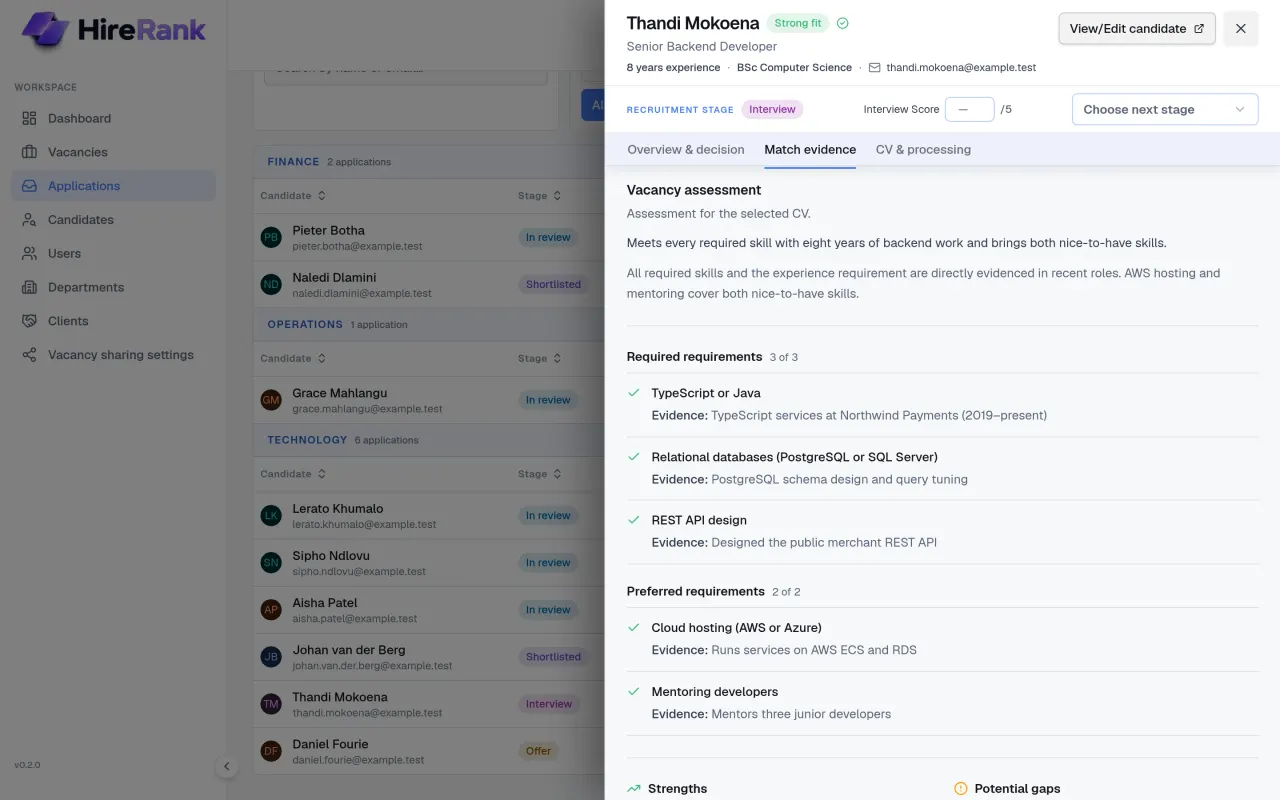
A recommendation you can check
Each application gets a strong, moderate, or weak fit recommendation for its vacancy, with the evidence for every requirement.
- Requirement-by-requirement evidence taken from the CV
- Strengths and potential gaps listed side by side
- No hidden numeric score, and protected attributes are excluded from matching
- Assessments are marked out of date when a vacancy's requirements change
Move candidates from review to hire
Applications move through clear stages: in review, shortlisted, interview, offer, and hired — or rejected and withdrawn.
- The AI recommends; it never changes a candidate's stage
- Shortlisting needs a processed CV with a current assessment
- Record interview scores alongside the AI evidence, never mixed with it
- Hiring a candidate fills the vacancy and closes the remaining applications
- Optional outcome emails to candidates, sent from your own Microsoft 365 mailbox
The right access for every team member
Owners and admins manage users, departments, and settings. Managers see only the departments they are assigned to.
- Owner, admin, and manager roles
- Departments own vacancies; managers are assigned per department
- Client records for recruitment agencies
- Finalised vacancies keep their full history visible
See HireRank on your own vacancies
Book a demo and we will walk through the workflow with a vacancy like yours, then set up a guided trial for your team if it fits.